What you get in every printable word search
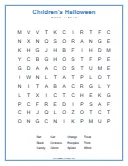
- The puzzle on one page: the grid, the list of words to find and a title, with lines for a name and a date in most designs.
- A separate answer key: a second PDF with every word marked, so the solution never ends up on the same sheet as the puzzle.
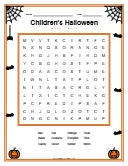
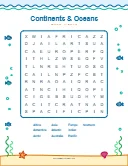
- Your choice of design: 42 designs with borders, pictures and colors to match the theme, or the plain Classic sheet.
- Letter or A4: every design fits both paper sizes, in color or in black and white.
- Edits before you print: change the colors, resize the word list, move the title, add stickers or your own text. The PDF prints exactly what the preview shows.
Printable word searches for every age
Young kids, 5 to 7
Easy puzzles have 6 to 8 familiar words in an 8x8 grid with large letters. Most words run across or down, so early readers can trace a row with a finger.
Kids, 8 to 12
Medium puzzles add diagonal words in an 11x11 grid, and the shaped puzzles (a pumpkin, a star, a rocket) can be colored in once solved.
Teens and adults
Hard puzzles hide longer words in a 15x15 grid in all eight directions, backwards included. Hidden message puzzles end with a joke or a famous quote.
Seniors and large print
Choose the Large Print design in the download section of any puzzle: bigger letters and a bold word list. It looks best on easy puzzles, whose small grids leave room for big letters. The large print word searches page opens each one with that design already chosen.
Teachers and classrooms
The word search worksheets for teachers sort the school topics by subject, from grammar and math vocabulary to earth science, with a level for each grade band and an answer key for every sheet.
Tips for printing
- Print at 100% or "Actual size". "Fit to page" can shrink the grid and make the letters smaller than they need to be.
- Saving ink? Pick the Classic or Ink Saver design, or print in grayscale: every design still reads clearly.
- For a class, print one answer key and as many puzzles as you have students. Thicker paper works better if students color the shaped puzzles.
- Outside the US, choose A4 before downloading, so nothing gets cut at the edges.
Make your own printable word search
Need your own words, like this week's spelling list or the names of party guests? The word search maker turns 5 to 15 words into a printable puzzle with the same designs and an answer key, in a minute.
Frequently asked questions
Are these printable word searches really free?
Yes. All 788 puzzles download as PDFs for free, with no account, no email and no watermark. Print as many copies as you need for a class, a party or your family.
Does every printable come with an answer key?
Yes. Each puzzle downloads as two PDFs: the puzzle and a separate answer key with every word marked, so you can hand out the puzzle and keep the solution.
Can I print on A4 paper?
Yes. Choose Letter or A4 before downloading, and the design adjusts to the page. Print at 100% or "Actual size" so the grid is not shrunk.
Can I print in black and white?
Yes. Every design prints in black and white, and the Classic and Ink Saver designs are made for it, with no colored areas to waste toner.
Can I change the words?
The ready-made puzzles keep their words, but you can make your own in the word search maker: type 5 to 15 words, pick any design and download it with its answer key.